 AdsToSlide
Create a Google Ads presentation in one click
Pick the period and draft, check the credit cost and download a branded .pptx — usually in well under a minute.
2026-10-28
Quick Presentation is the fastest way to prepare one client's report: no task to set up, no file to name. You choose the period and the draft, and AdsToSlide builds the PowerPoint.
1. Find the client
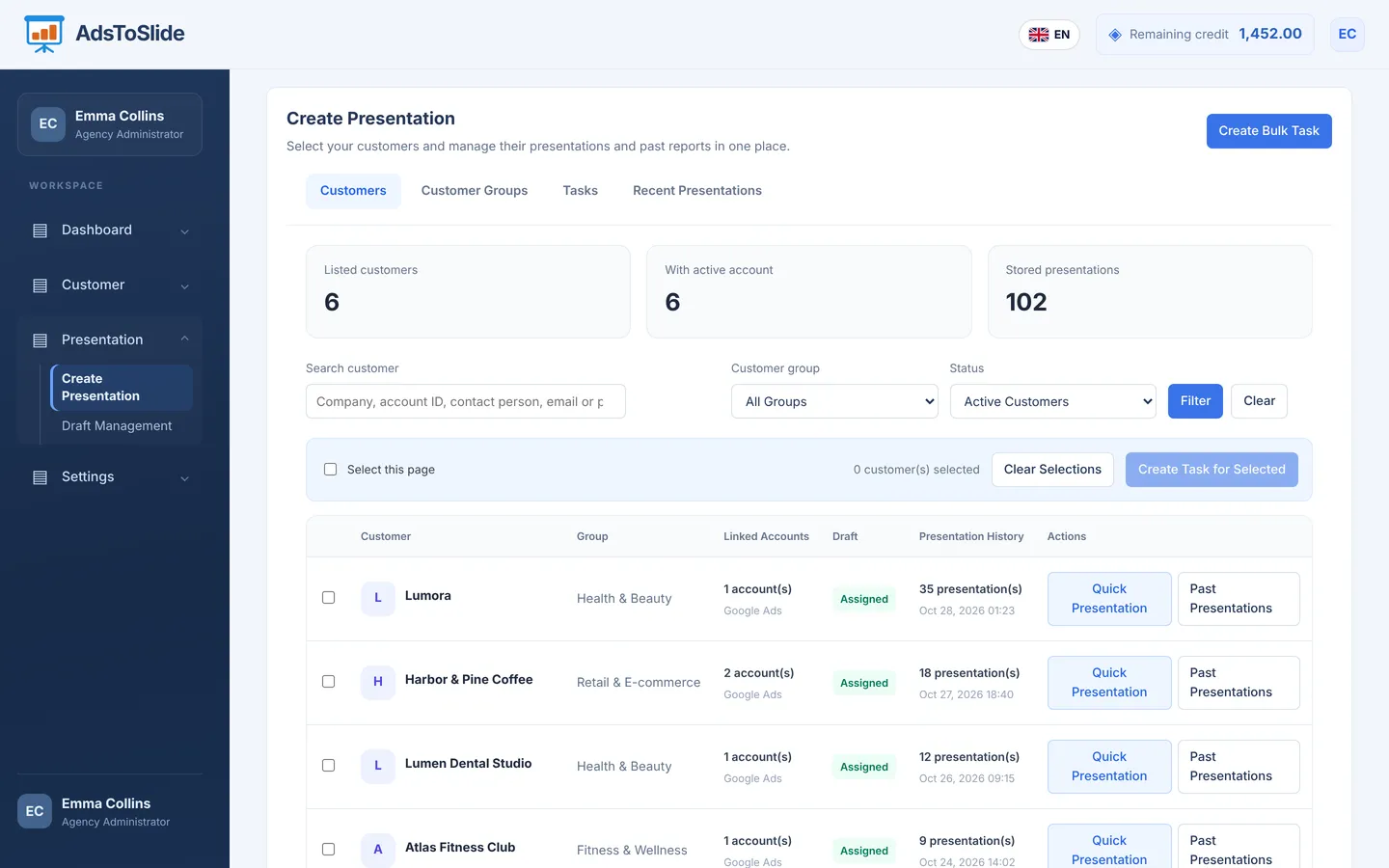
Go to Presentation → Create Presentation. The customer list shows each client's group, linked accounts, whether a draft is assigned, and how many presentations were created before. Click Quick Presentation on the client's row.
2. Choose the period and the draft
The report period offers the presets clients usually ask for: today, yesterday, last 7, 14 or 30 days, this or last month, this or last week — or a custom date range.
The client's assigned draft is preselected. Change it if this meeting needs more or less detail; the client's permanent assignment stays the same.
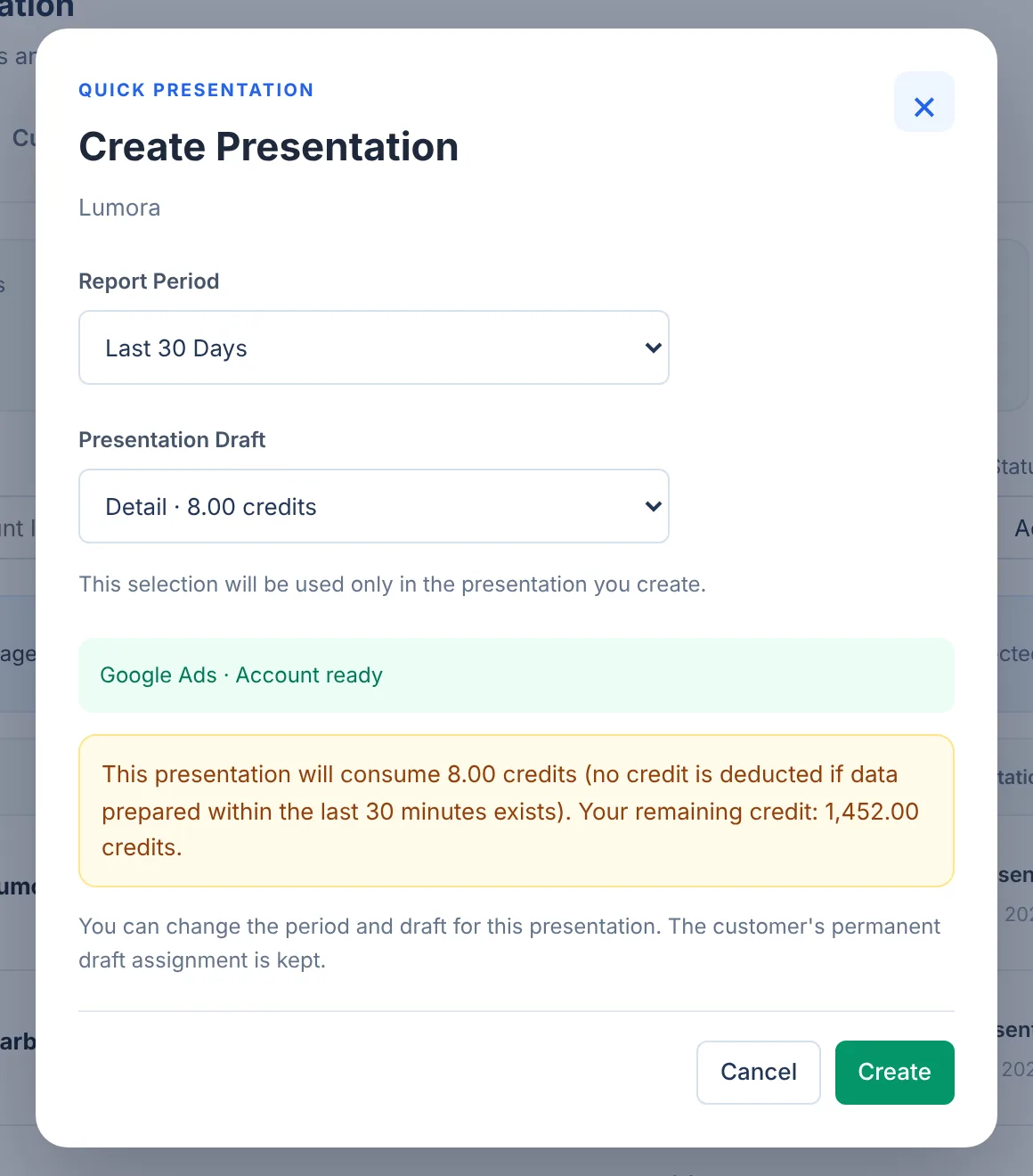
If you created a presentation for the same client and period in the last 30 minutes, the cached data is reused and no credit is deducted. Fixing a draft choice and regenerating is free.
3. Create and download
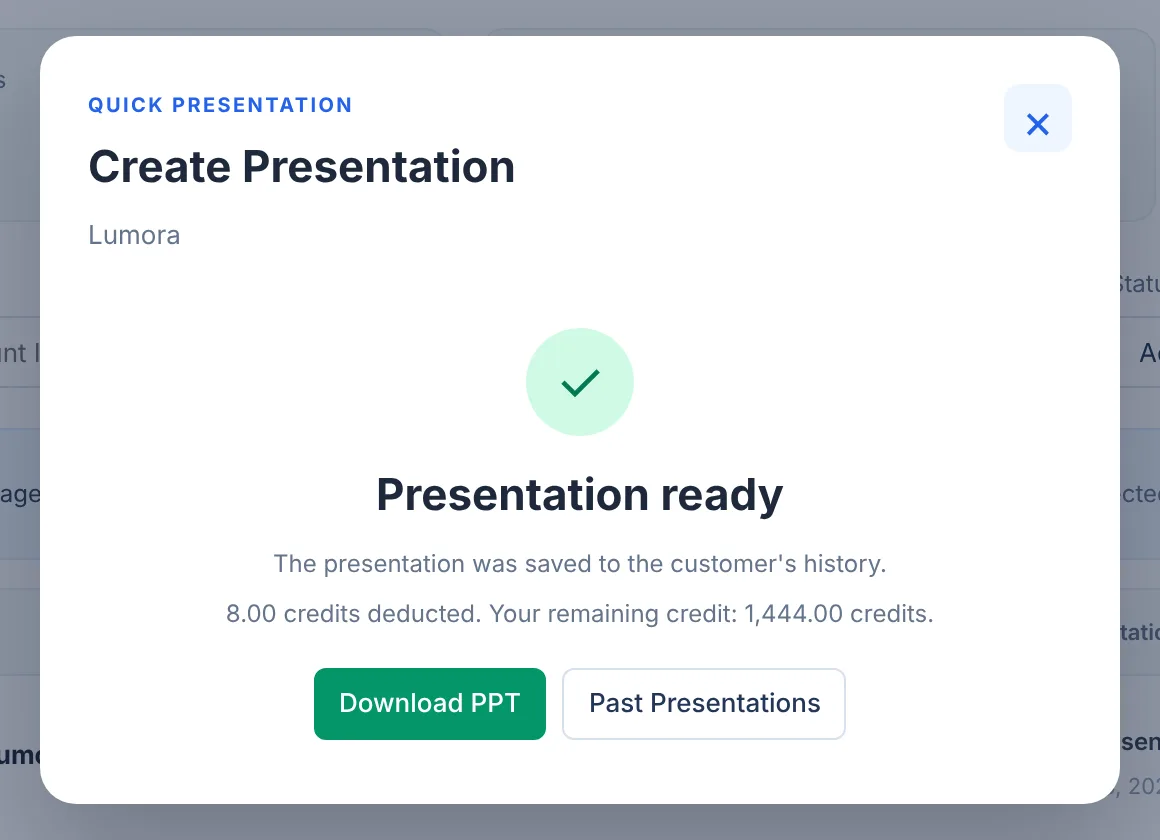
Click Create and confirm the credit use. When the presentation is ready, the dialog shows how many credits were deducted and offers Download PPT. The file is also saved in the client's Past Presentations.
What you get
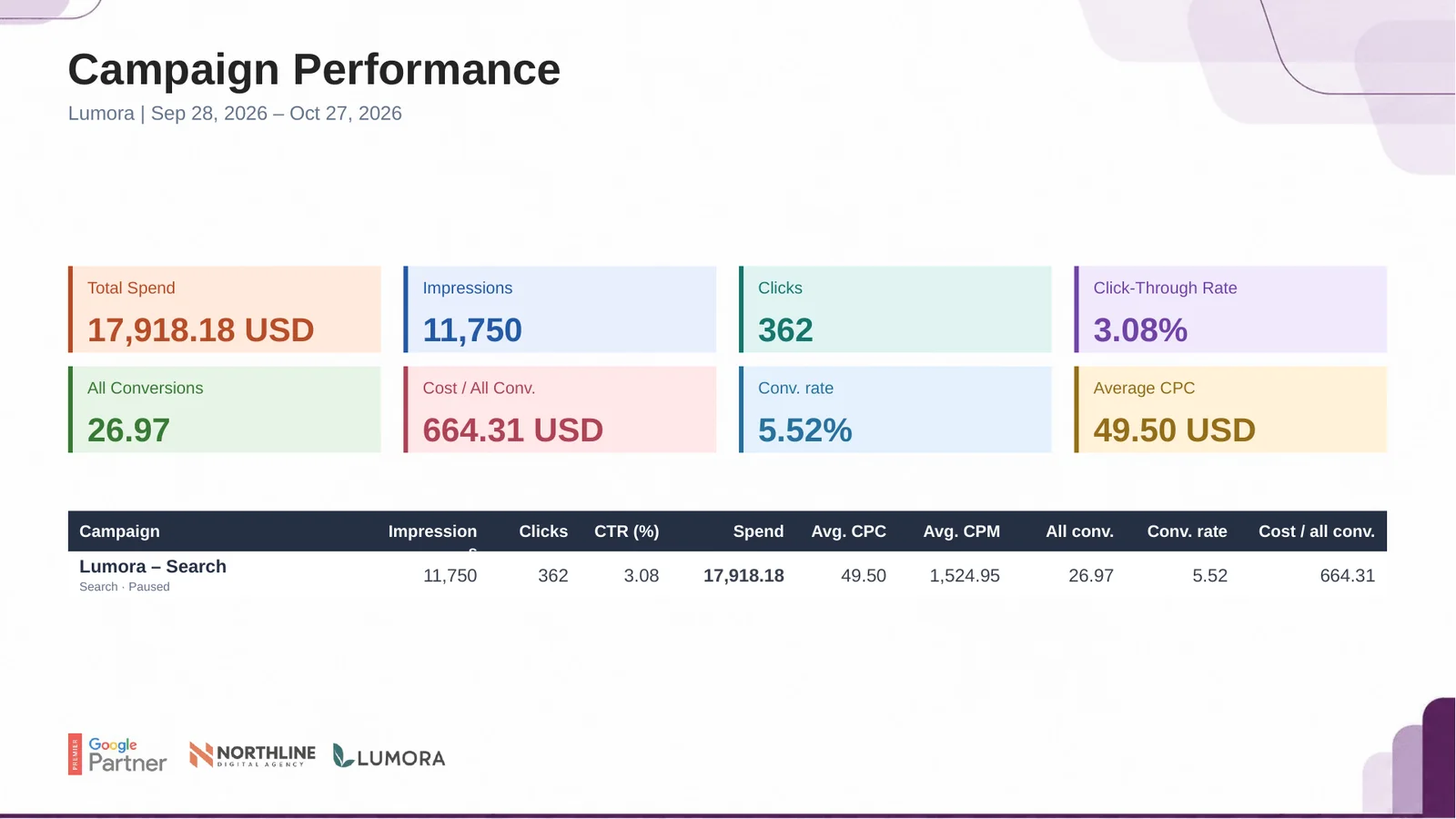
A Detail presentation opens with a branded cover and continues with campaign performance, period comparison, keywords, devices, location, gender, age and conversions, closing with your agency's thank-you slide.
Before the meeting, open the file in PowerPoint and add two or three sentences of commentary: what changed, why, and what you will do next.