 AdsToSlide
Add your first client and connect Google Ads
Create the client record, upload the logo and link the Google Ads account so every report comes out right the first time.
2026-10-28
Everything in a report — the logo on the cover, the language of the slides, the dates in the period — comes from the client record. Ten minutes spent here saves you from fixing the same details every month.
1. Create the client record
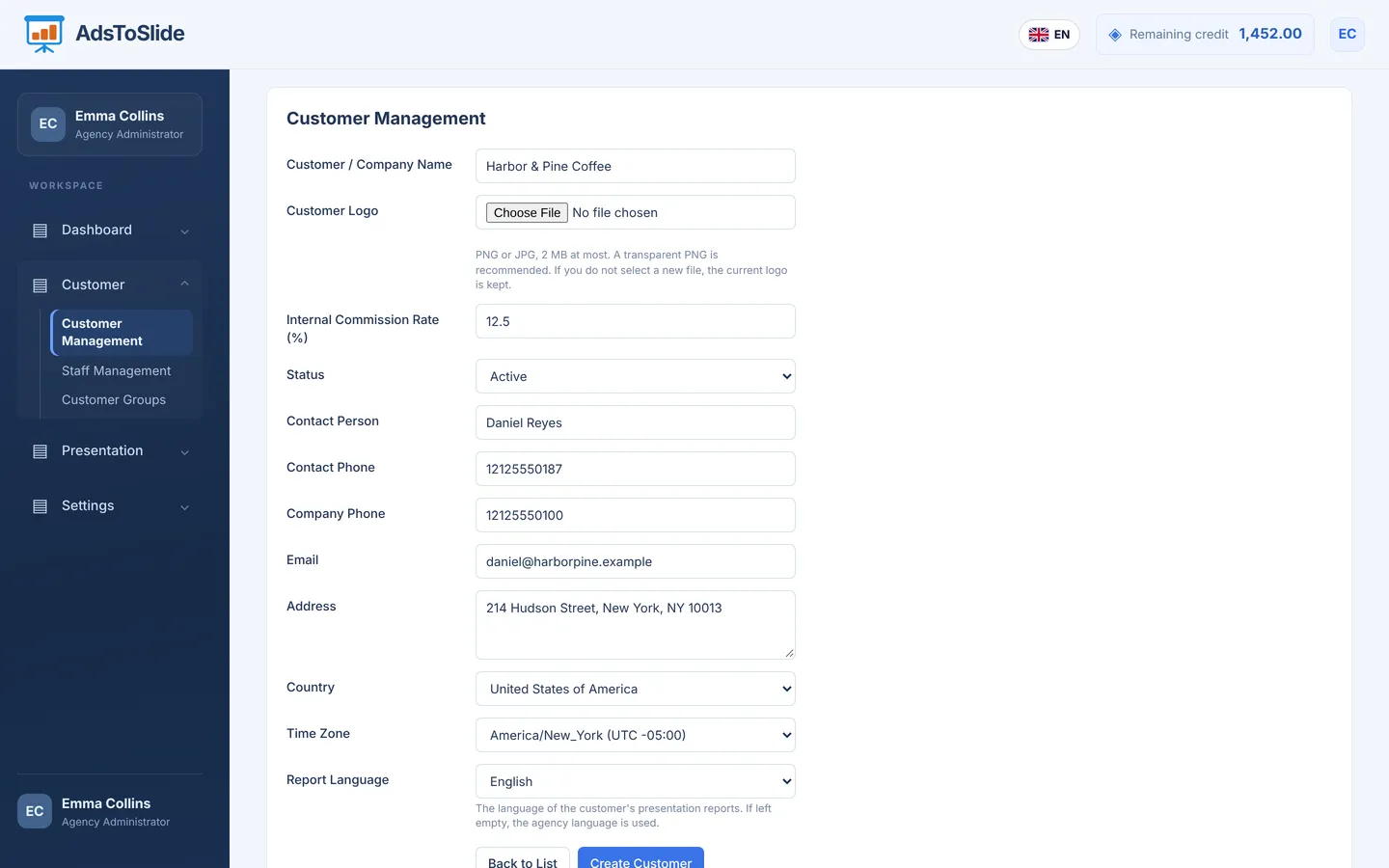
Open Customer → Customer Management and click Add New Customer. Only the company name, commission rate, status, country and time zone are required, but fill in the rest as well:
- Customer logo — PNG or JPG, up to 2 MB. A transparent PNG looks best on the cover and in the slide footer.
- Country and time zone — the time zone list fills in after you pick the country. It decides where “yesterday” and “last 30 days” start and end.
- Report language — English, Turkish, German, French or Spanish. Leave it empty to use your agency language.
- Internal commission rate — for your own calculations; it is not shown to the client.
2. Link the Google Ads account
Open the client again and switch to the Linked Accounts tab, then click Link New Account.
- Choose Google Ads as the data source.
- Paste the account ID in the
123-456-7890format you see at the top of Google Ads. - Give the account a recognisable name, such as “Brand – Search”, and click Link Account.
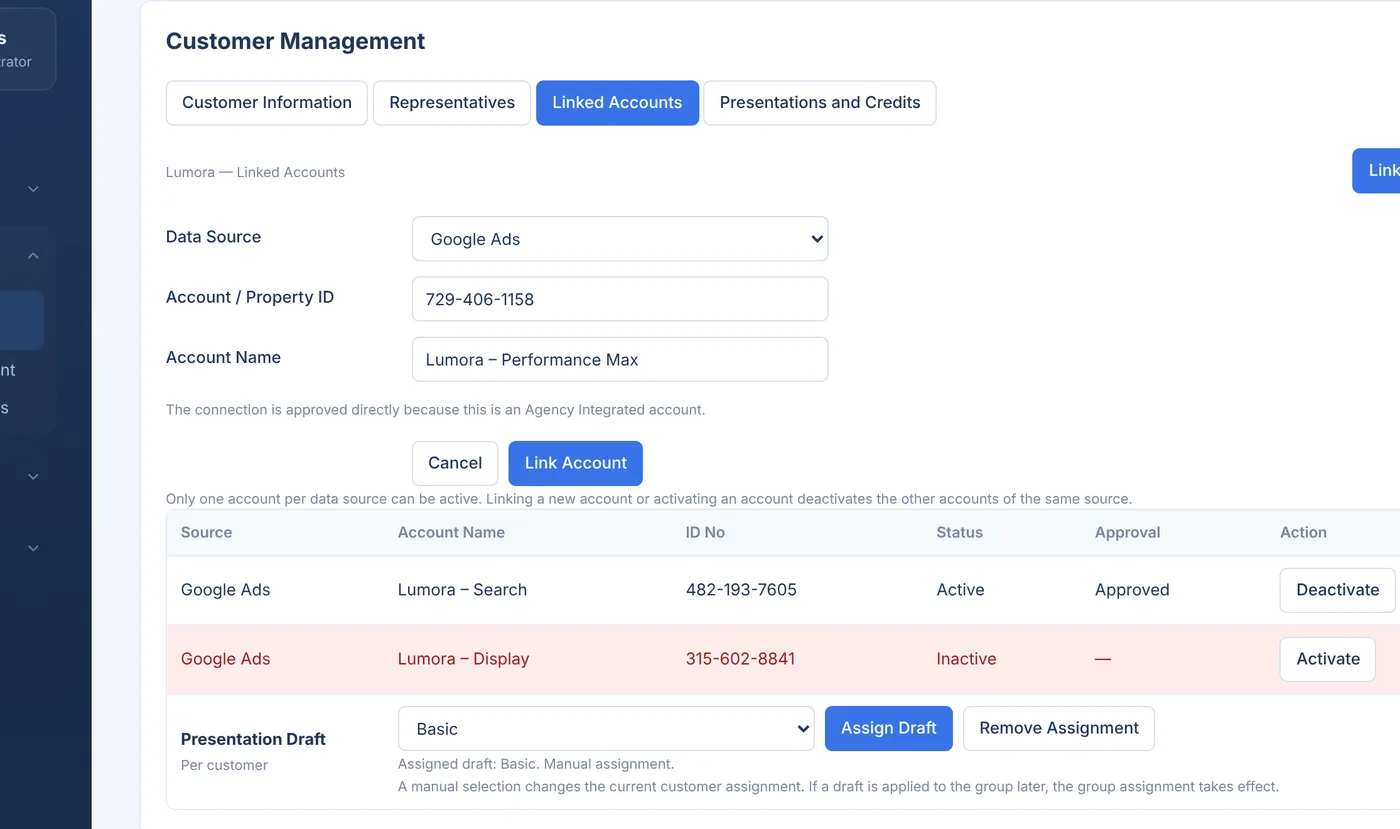
Only one account per data source can be active. Linking a new Google Ads account deactivates the previous one, so a client never ends up with figures from two accounts in the same report.
3. Assign a default draft
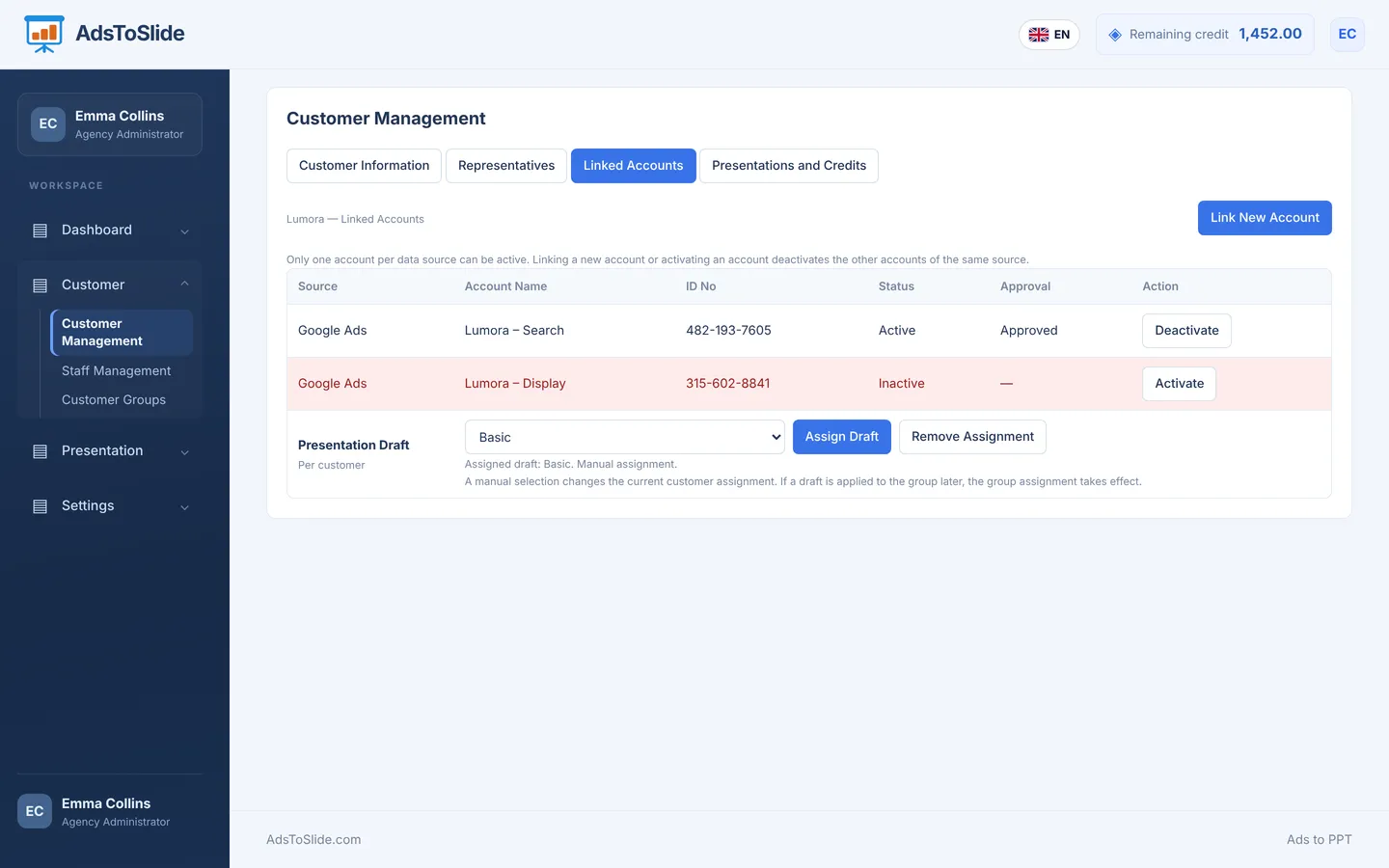
At the bottom of the same tab, pick the draft this client normally receives — Basic, Standard or Detail — and click Assign Draft. You can still choose a different draft for a single presentation later.
Before you create the first report
- Check that the account you linked is the one marked Active.
- Assign representatives in the Representatives tab if more than one person works on the client.
- Add the client to a group in Customer Groups if you report on similar clients together.