 AdsToSlide
Reading the Detail report, slide by slide
What each of the nine Detail slides shows and what to say about it in a client meeting.
2026-10-28
The Detail draft is the most complete AdsToSlide report: a cover, nine content slides and a closing slide. Here is what each slide shows and how to use it in the meeting. The examples come from a real 30-day report; client and agency names are fictional and figures are anonymized.
Cover
The client name, reporting period and both logos. Check the period here first — it is the most common source of “these numbers look wrong”.
Campaign performance
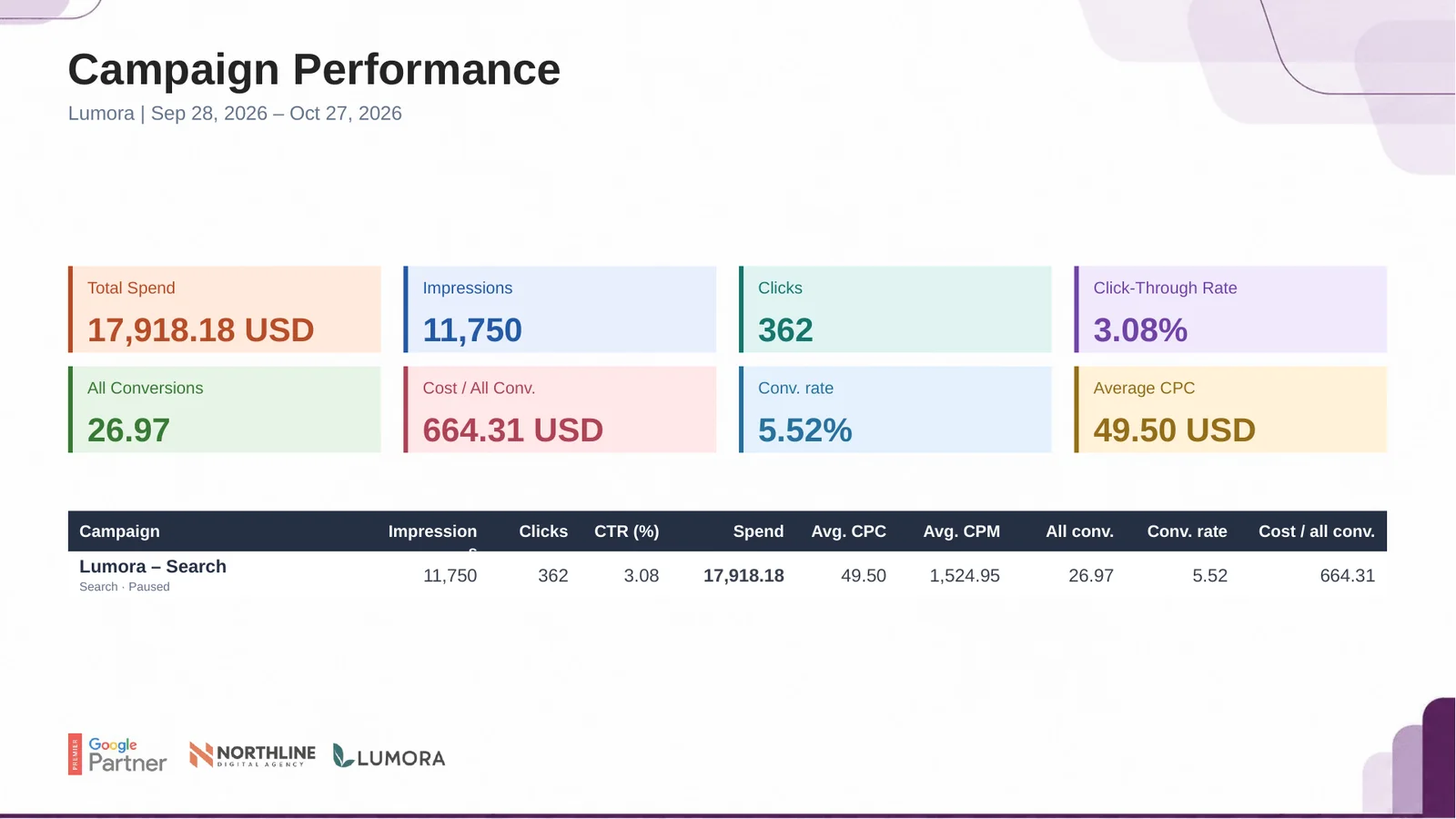
Spend, impressions, clicks, click-through rate, conversions, conversion rate and average CPC, with one row per campaign. Ratios are calculated from totals, not averaged across campaigns.
Period comparison
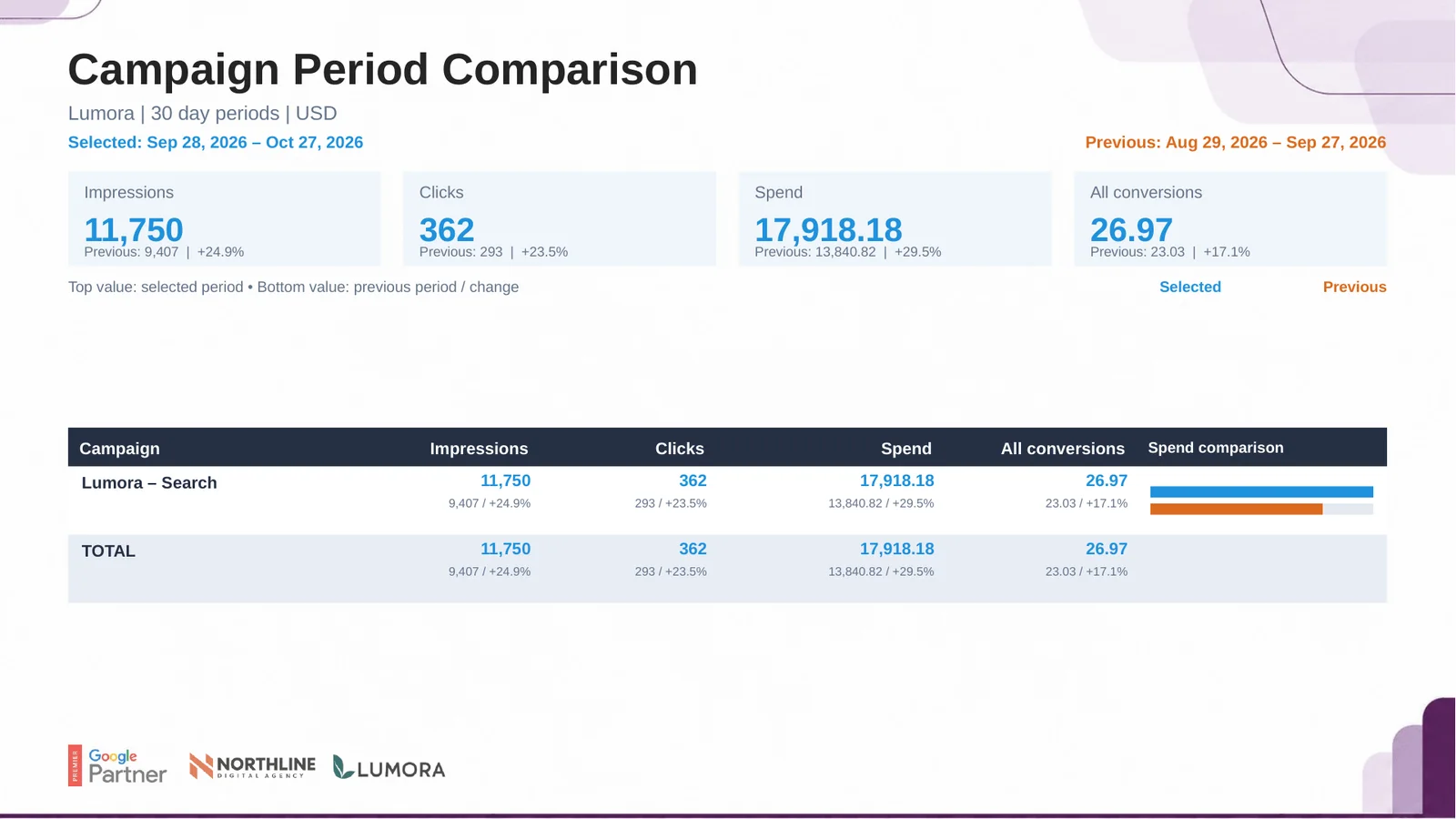
The selected period against the previous period of the same length, with the change for each metric. Lead with this slide when the client asks “is it getting better?”.
Keyword performance
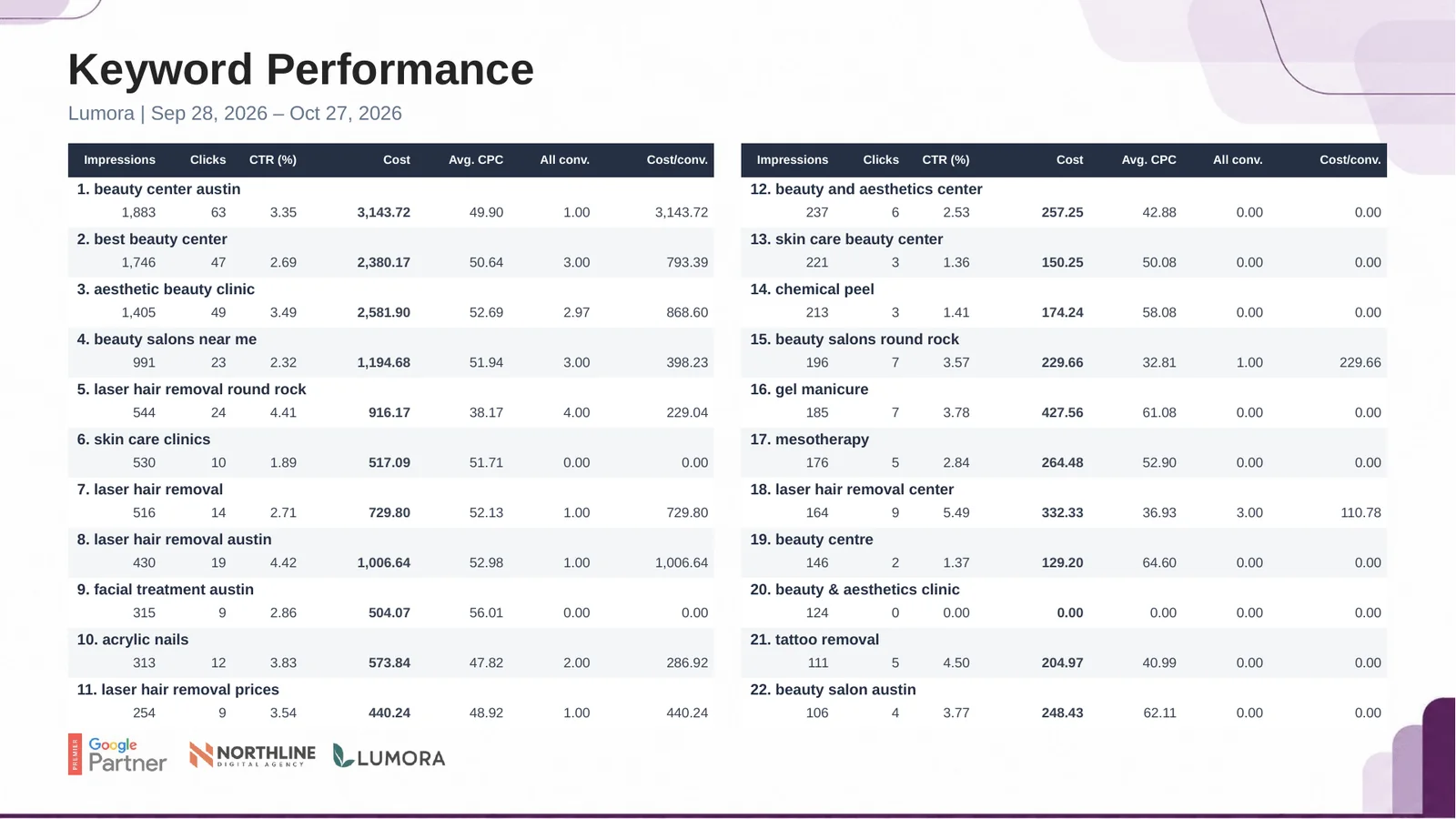
Keywords ranked by volume with clicks, CTR, cost, CPC and conversions. Look for keywords that spend without converting before you discuss budget.
Device performance
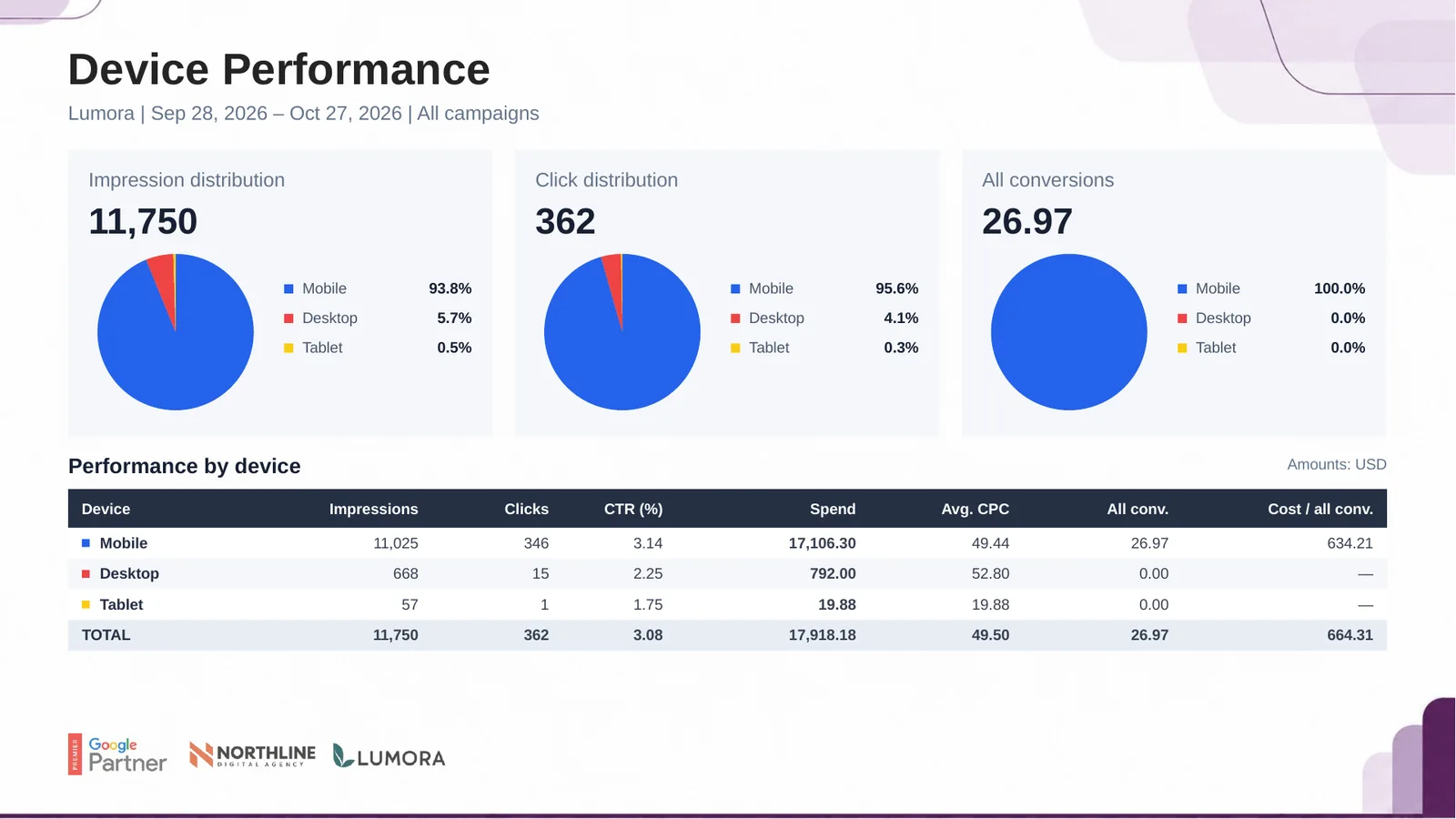
Impression, click and conversion share for mobile, desktop and tablet. When one device carries almost all conversions, mention it — it shapes landing page priorities.
Country and city
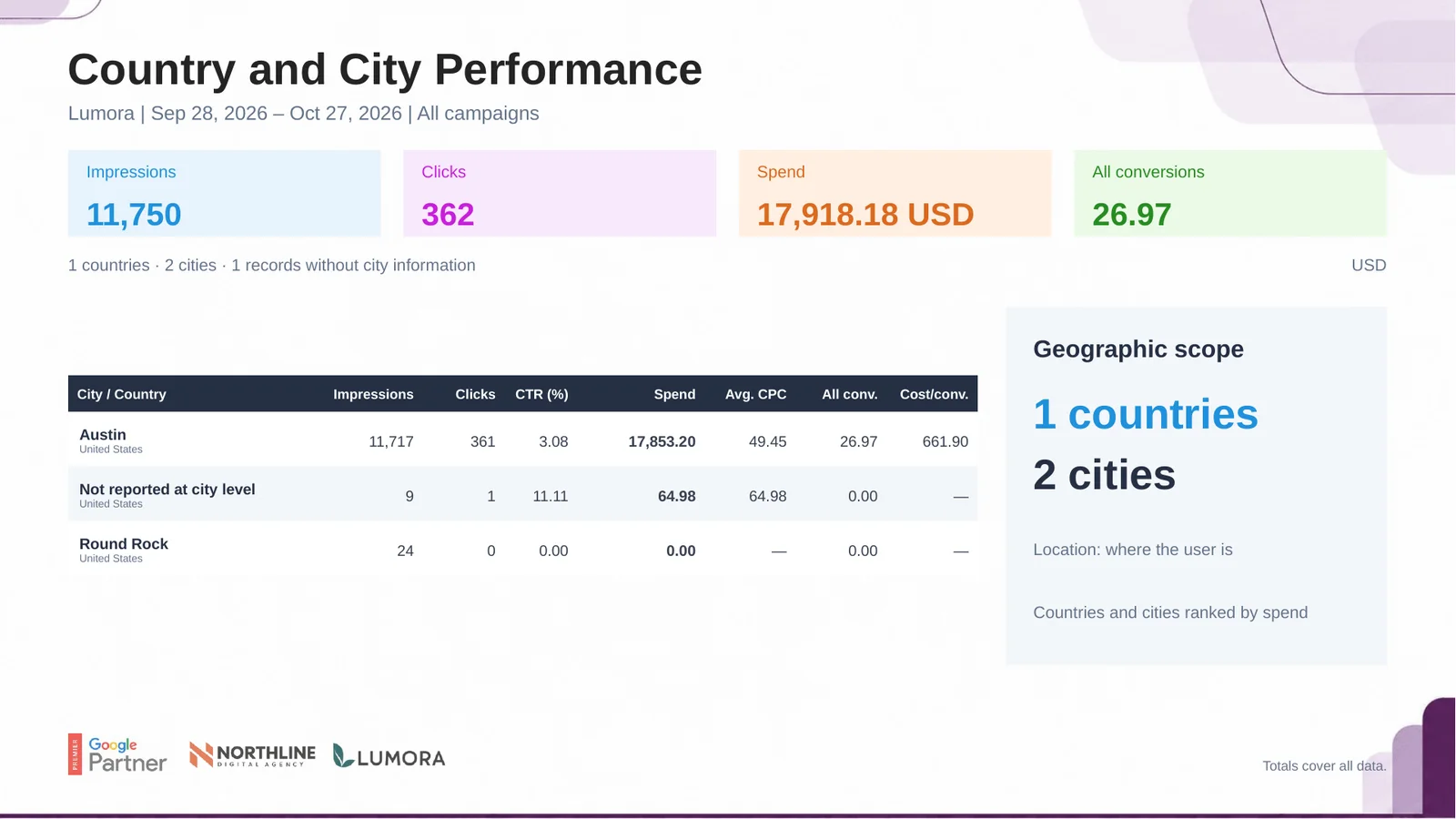
Where the clicks and conversions came from, ranked by spend. Rows marked “not reported at city level” are normal and are included in the totals.
Gender
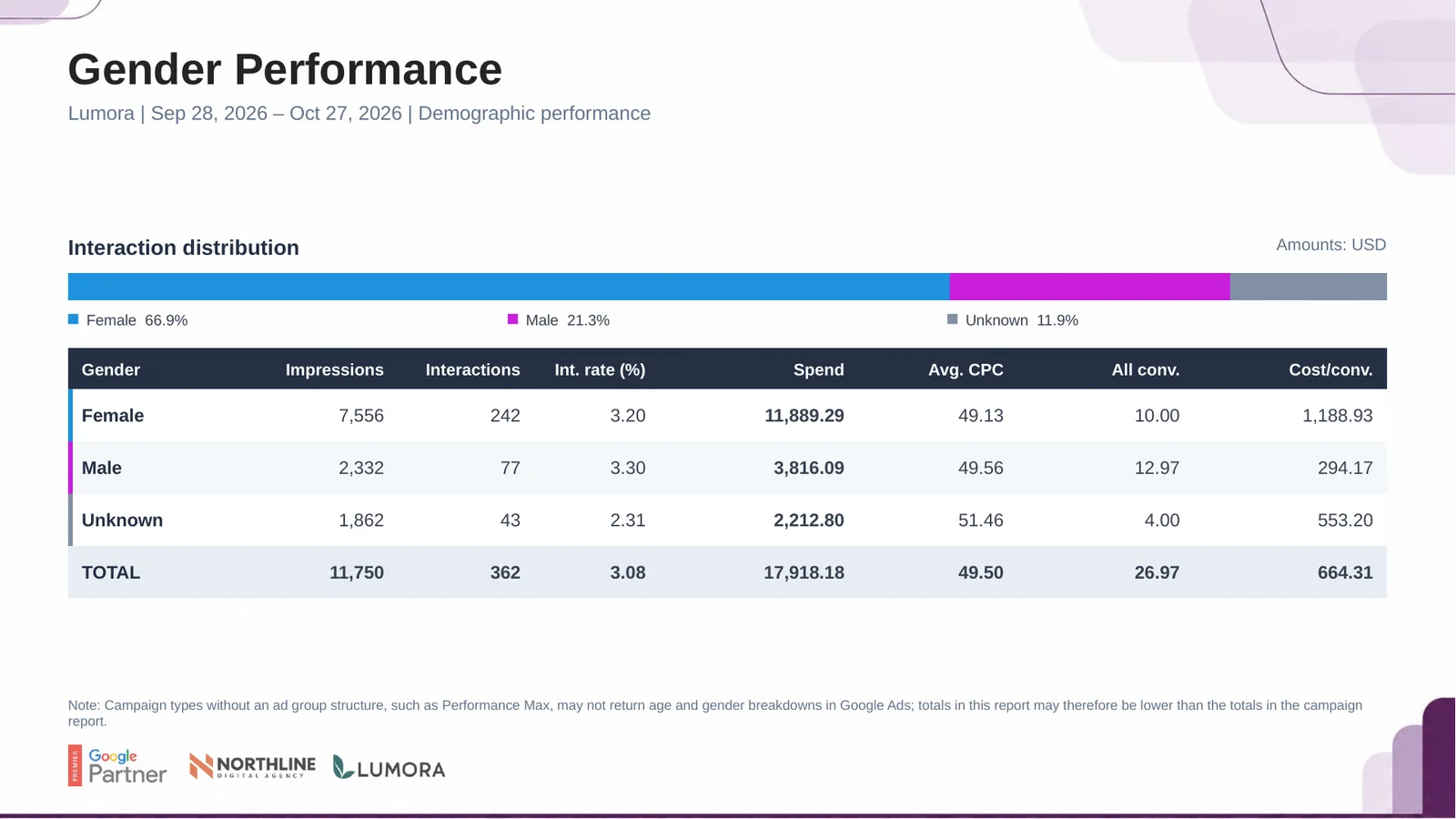
Interactions, spend and conversions by gender. Campaign types without ad groups, such as Performance Max, may not return demographics, so totals can be lower than on the campaign slide.
Age
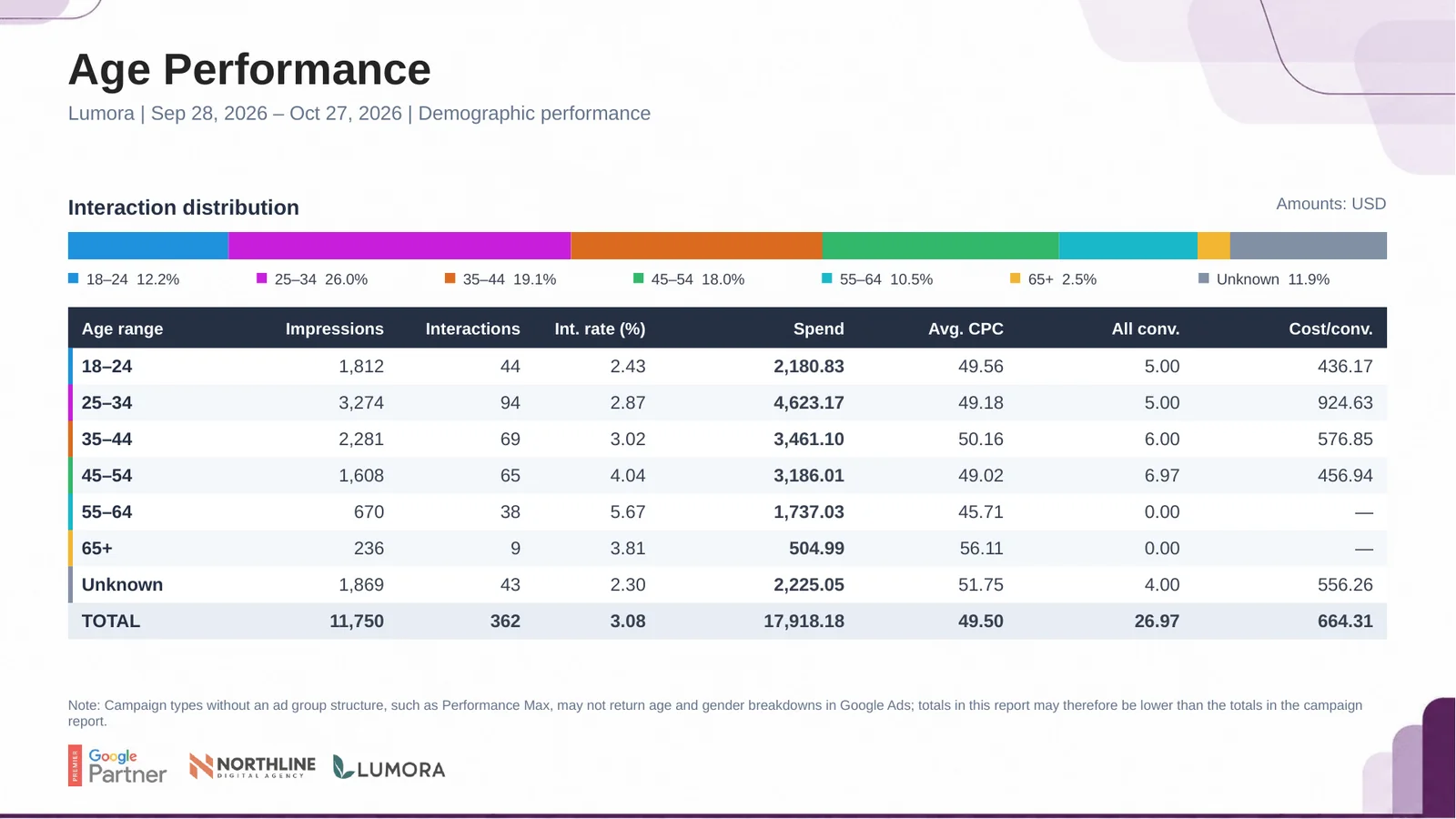
The same breakdown by age range. Use it together with the gender slide to describe who is actually converting.
Conversion details
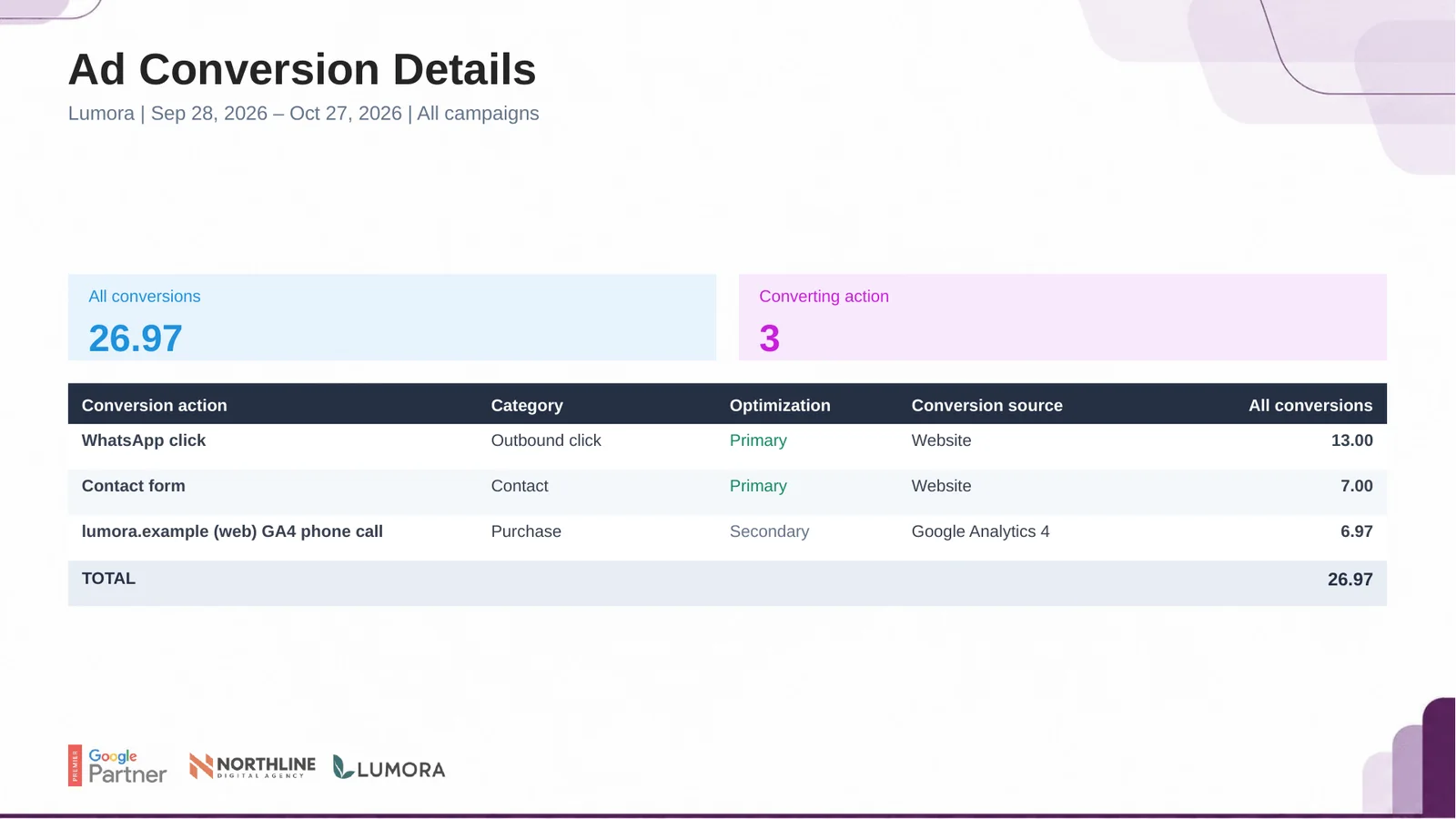
Every conversion action with its category, whether it is primary or secondary and where it was recorded. Clarify which actions count as leads or sales for this client.
Close with next steps
The closing slide carries your agency logo. Before it, add one slide of your own in PowerPoint with three points: what worked, what you will test next and what you need from the client.